A Beginner's Guide to USPS Process Page
Role

User Interface Designer
Tools

Figma
Deliverables

Project Write-Up

Prototype
Duration

2 months
User Interface Designer
Figma
Project Write-Up
2 months
My partner and I were tasked to create an informational website/app prototype, aimed at teaching users something new. With the knowledge of user interface (UI) design laws and principles, part of the task was to create a smooth and intuitive navigation experience for the users. Along with the smooth and intuitive navigation experience, we also had to present content in a way that is understandable and memorable for all users.
Goals for this project included teaching users something new on an interface with smooth and intuitive navigation experience, and present content in a way that would be understandable and memorable for all users. To achieve all of this, we would utilize all the laws and principles of user interface design.
At the end of our website/app prototype, we wrote up a final project write-up that described how we used each of the user interface laws and principles in our design. Although this was done as a very last step, it feels appropriate to put it before the final prototype, this way users are able to read how we explained and considered each of the UI principles in our final design. For further detail about how we used each UI principle, feel free to view our write-up down below.
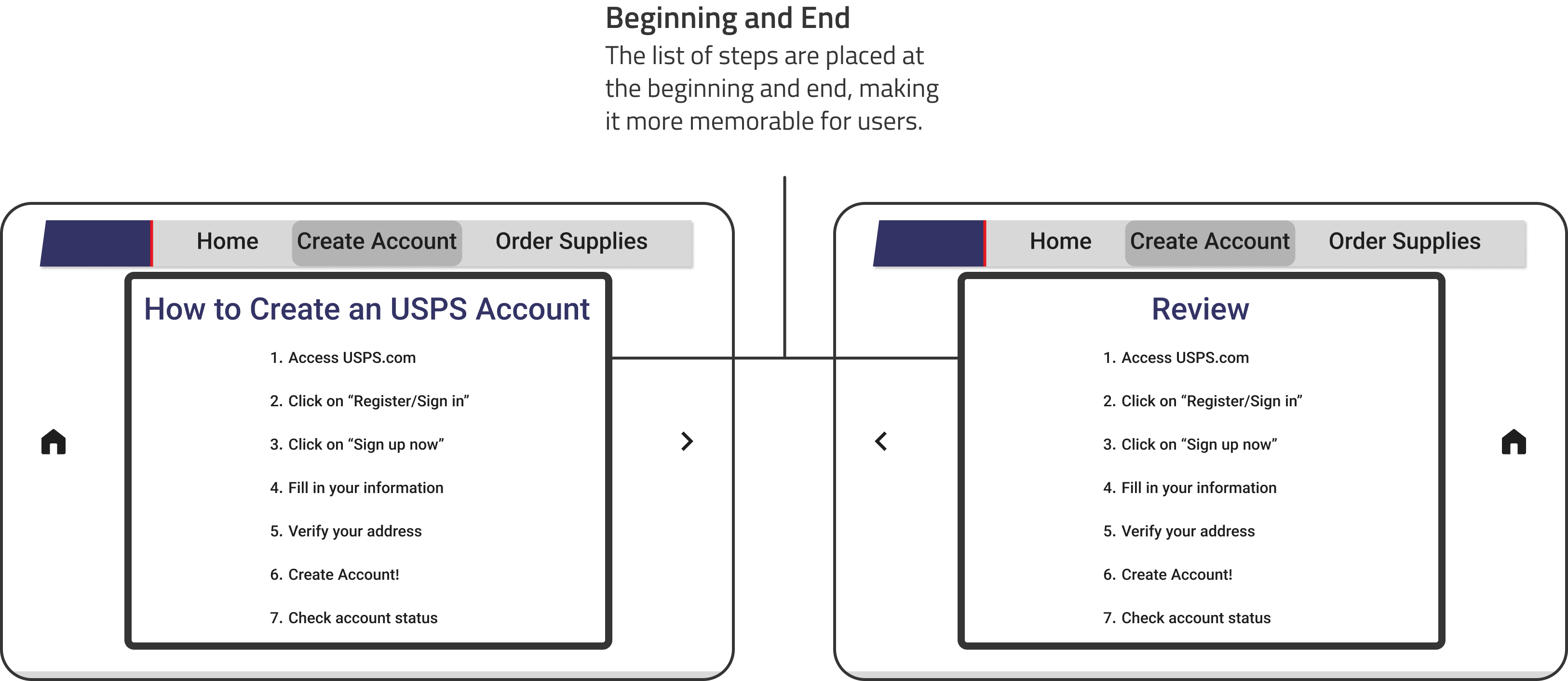
Users tend to remember items at the beginning and at the end of a list. We took advantage of this effect by having a complete list of our steps before the tutorial and after the tutorial.
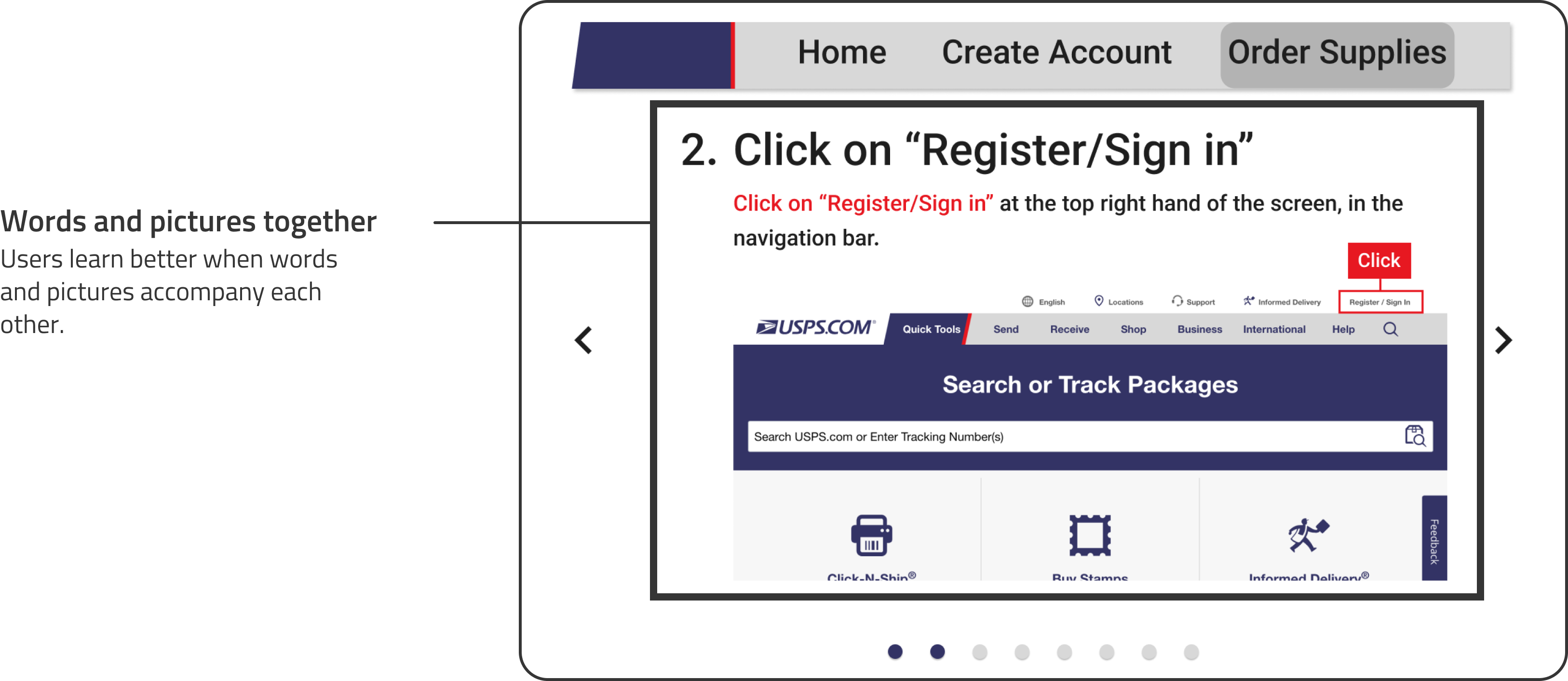
People learn better when words and pictures accompany each other, rather than just words alone. We followed this principle by having an explanative graphic on each step, where the graphic conveys the same information as the text.
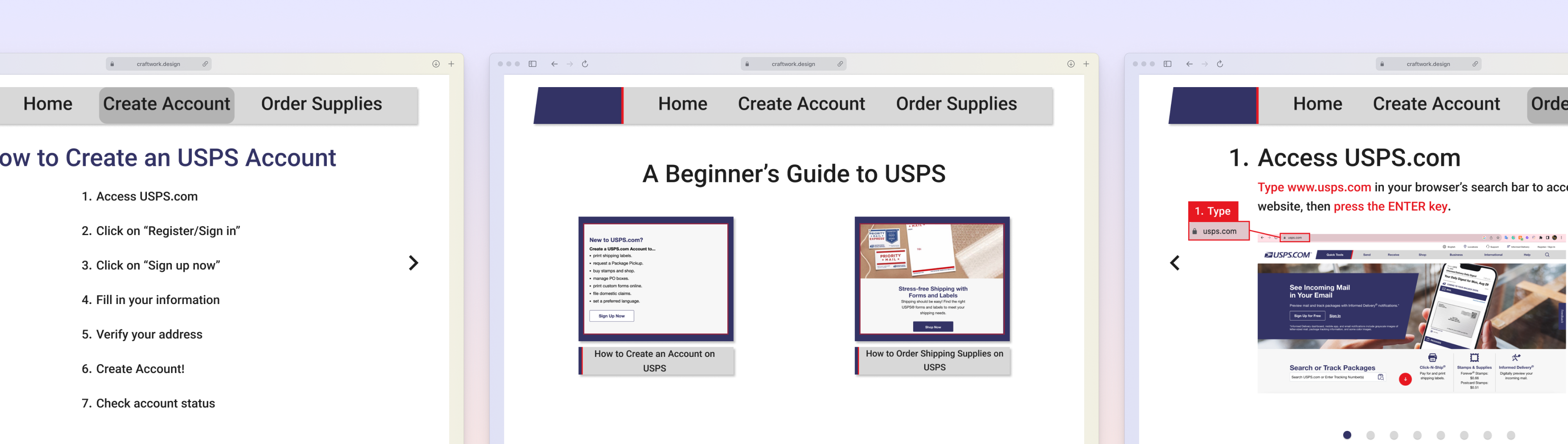
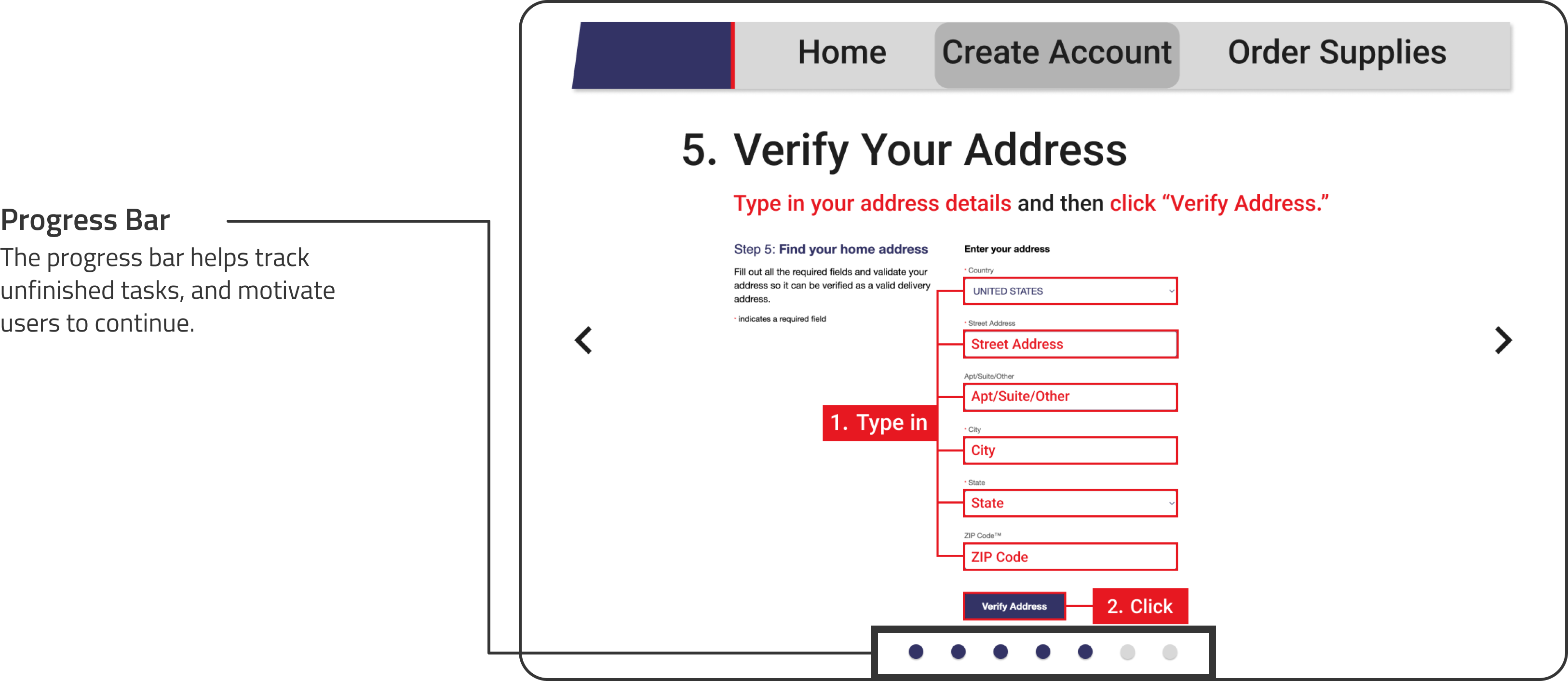
Unfinished or interrupted tasks are remembered more than finished tasks. We considered this effect in our project by including a progress indicator on each page of our steps. Progress bars or indicators can help motivate users to continue doing a task by making them aware of how far away they are from their goal.
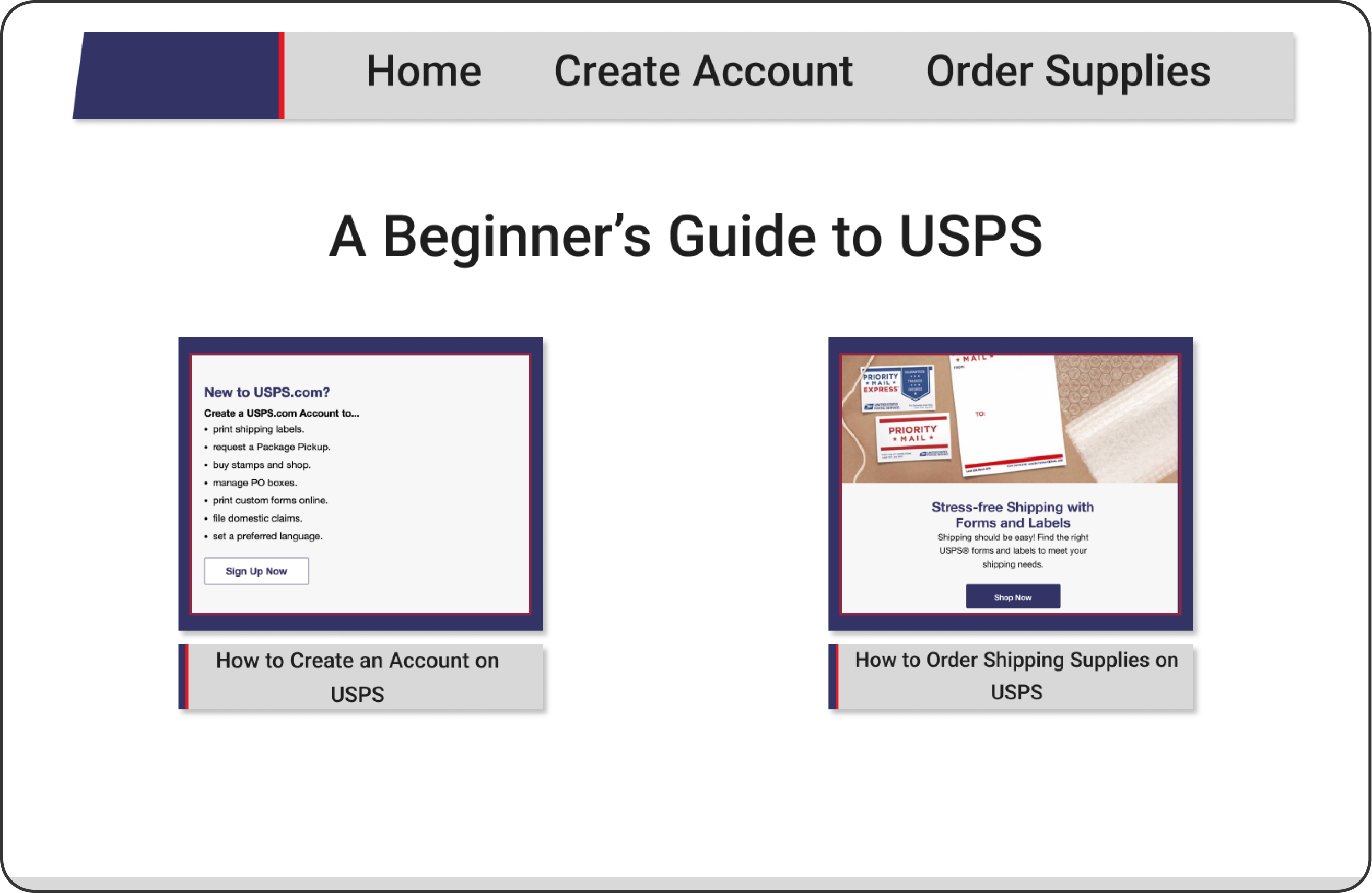
Our final project is named, "A Beginner's Guide to USPS", and there are two guides on this website/app prototype. The first guide shows you how to create an account on USPS, and the second shows you how to order supplies from USPS. Both guides include pictures and words on each step to further help you understand and memorize.
This was my first formal team project even though there were only two of us. Through this project I learned how to fairly split the work among the two of us, taking into consideration our visual skills and prototyping skills. Aesthetics was a big a part of this project as we wanted it to look like it came from the official USPS website, and quite a lot of time was spent on adjusting color and spacing. This was also the first project where my prototyping skills were tested, due to it being our first large sized project. But, at the end of this project, I had gained some more prototyping skills to help me on my future projects.